NFS
This section describes how to configure Network File System (NFS). This installs the NFS-utils package which enables OVOC to access an external storage system via NFS.
| ➢ | To enable NFS Utils package: |
| 1. | From the Network Configuration menu, choose NFS, and then press Enter. |
Network File System (NFS)
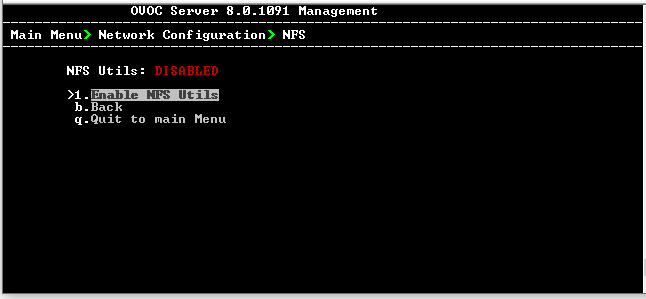
| 2. | Select Enable NFS Utils, and then press Enter. You are prompted to enable the package, enter Y, and then press Enter. |